
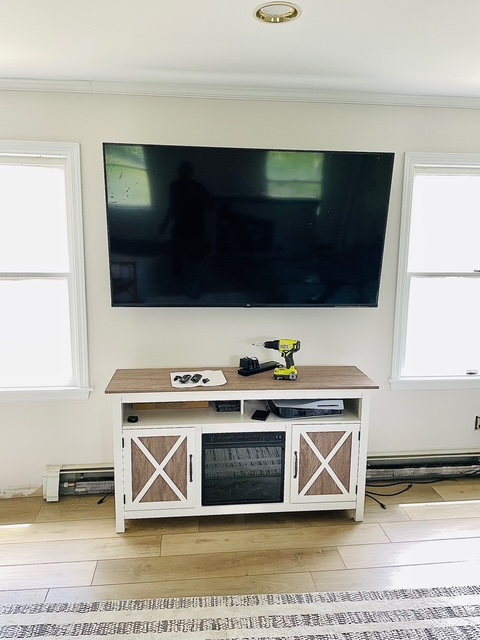
How to Choose a TV Mount — Fixed, Tilting, or Full-Motion?

The Decision That Determines Whether You'll Actually Enjoy Your TV
Choosing the wrong TV mount is one of the most common and frustrating mistakes homeowners make. You end up craning your neck, watching from the wrong angle, or — worst case — dealing with a TV that pulls out of the wall. The right mount makes your viewing experience genuinely better. The wrong one creates a problem you'll live with every day.
Here's a complete breakdown of every mount type, when to use each one, and how to match your choice to your specific room, wall, and TV.
The 3 Types of TV Mounts
Fixed Mounts (Flat Mounts)
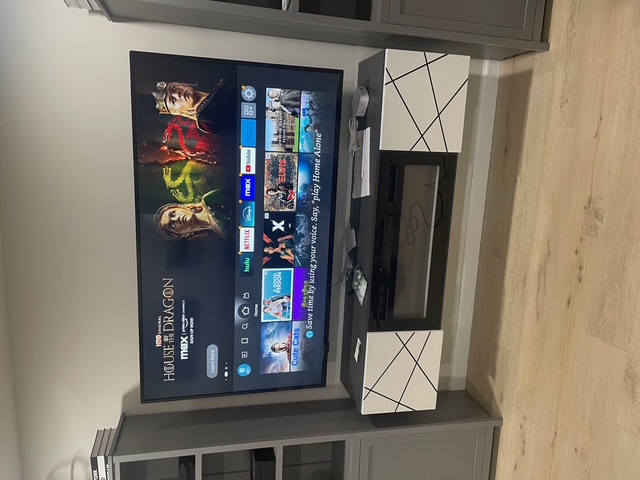
A fixed mount holds your TV flat against the wall with zero movement. It sits the closest to the wall — typically 1 to 2 inches — and is the most stable and visually clean option available.
Best for:
- Dedicated media rooms or living rooms with a single seating area directly facing the TV
- Bedrooms where the TV is at eye level from the bed
- Minimalist setups where you want the TV to look like it's part of the wall
- TVs 55 inches and under
Drawback: No flexibility. Once it's up, it's up. If your furniture arrangement changes or you want to view from the side, this mount won't accommodate that.
Tilting Mounts
A tilting mount lets you angle the TV vertically — usually 0 to 15 degrees downward. The TV stays relatively flat to the wall but can be adjusted for viewing height after installation.
Best for:
- TVs mounted high on the wall, especially above a fireplace
- Rooms where your seating is lower than the center of the TV
- Reducing glare from overhead lights or windows
- Large living rooms with one main seating zone
Drawback: Tilt only works on the vertical axis. If you need to watch from the left or right side of the room, a tilting mount won't help.
Full-Motion Mounts (Articulating Mounts)
Full-motion mounts extend from the wall on an arm and swivel in multiple directions — left, right, up, and down. They offer maximum flexibility but also the most depth off the wall (typically 6 to 20 inches when extended).
Best for:
- Corner installations where the TV must angle toward the center of the room
- Open-plan spaces with multiple seating areas
- Kitchens or offices where the TV needs to be seen from different positions
- Above-fireplace setups where you want to pull the TV forward and tilt it down to a comfortable angle
Drawback: More complex to install correctly, heavier hardware, and the TV sits farther from the wall when in use. Less visually clean than a fixed mount.
Choosing Based on Your Room Layout
Work through these questions before buying anything:
Is there one seating area directly in front of the TV? → Fixed or tilting mount works fine.
Are there multiple seating areas or an open floor plan? → Full-motion mount is worth the investment.
Is the TV going above a fireplace? → Tilting or full-motion only. A fixed mount above a fireplace forces you to look straight up — it's uncomfortable within minutes. A full-motion mount lets you pull the TV forward and tilt it down to eye level.
Is it a corner installation? → Full-motion only. There's no other option that works.
Is it a bedroom TV across from the bed? → A fixed mount at eye level (measured from your seated or reclined position) is usually the best choice. If you watch lying down, add a slight downward tilt.
Wall Type Matters More Than People Realize
Your wall type determines what hardware is safe to use and how the installation needs to be done.
Drywall with studs: The most common wall type in Long Island homes. Any mount type works as long as it's anchored into studs. Never attach a heavy mount to drywall alone with plastic anchors — it will eventually pull out.
Brick or concrete: Common in older Long Island homes and basements. Requires masonry bits and hammer-drill technique. All mount types can work, but the installation takes more time and specialized tools.
Plaster walls: Found in older homes throughout Suffolk County. Requires careful drilling to avoid cracking the plaster. Heavier TVs and full-motion mounts should always be anchored into the studs or lath behind the plaster surface.
Tile: Rare for TV mounting but it happens in kitchens. Requires diamond-tipped drill bits and specific anchors. DIY is not recommended here.
TV Size and Weight: The Numbers That Actually Matter
Every mount has a maximum weight rating and a VESA pattern (the bolt hole spacing on the back of your TV). Both must match your TV. Here are the general ranges:
| TV Size | Typical Weight | Recommended Mount Type |
|---|---|---|
| 32–43" | 15–25 lbs | Fixed or tilting |
| 50–65" | 35–60 lbs | Tilting or full-motion |
| 75–85" | 70–120 lbs | Heavy-duty fixed or full-motion |
| 86"+ | 100–200 lbs | Heavy-duty fixed into studs |
For any TV 65 inches and larger, anchor into wall studs — no exceptions, no toggle bolts in drywall alone.
Cable Management: Plan Before You Mount
The mount is only half the job. After the TV goes up, you'll have a power cable and HDMI cables hanging down the wall. Your main options:
- Cable raceways: Surface-mounted plastic channels that run along the wall and hide cables. Fast to install, paintable, and affordable. The most practical solution for most homeowners.
- In-wall cable concealment: Cables are routed through the wall for a completely clean, zero-cable look. Requires cutting into drywall and is typically done at installation time.
- Behind-TV organizers: Bundles all cables together behind the TV. Not invisible, but much tidier than loose cables.
If you want in-wall concealment, plan for it before the mount goes up — not after.
When to DIY vs. When to Call a Professional
DIY is reasonable when:
- Your TV is 55 inches or under
- You're mounting to standard drywall and can locate studs
- You have a stud finder, drill, and level
- You're comfortable with basic wall work
Hire a professional when:
- Your TV is 65 inches or larger and requires precise stud location
- You're mounting to brick, concrete, or plaster
- You want in-wall cable management
- You're mounting above a fireplace (awkward height, heat considerations, heavier mount requirements)
- You've already started and made multiple anchor holes that didn't hit studs
A professional TV mounting service takes 1–2 hours for most installations and includes proper stud location, level adjustment, and basic cable management. For complex jobs on brick or with in-wall cables, budget 2–3 hours.
Serving Long Island Homeowners
TopTier Mounting & Assembly handles professional TV mounting across Long Island — Port Jefferson Station, Saint James, East Setauket, Ronkonkoma, Stony Brook, Selden, and surrounding communities. Richard Vargas personally handles every job, bringing the right tools for any wall type.
Call (718) 598-7838 or contact us online for a free quote. Most installations are completed the same day or next day.